Amazon Web Services
Buy AWS Account
Breadth of services, global reach, and mature tooling around compute, storage, databases, and serverless options.
From $25
13 options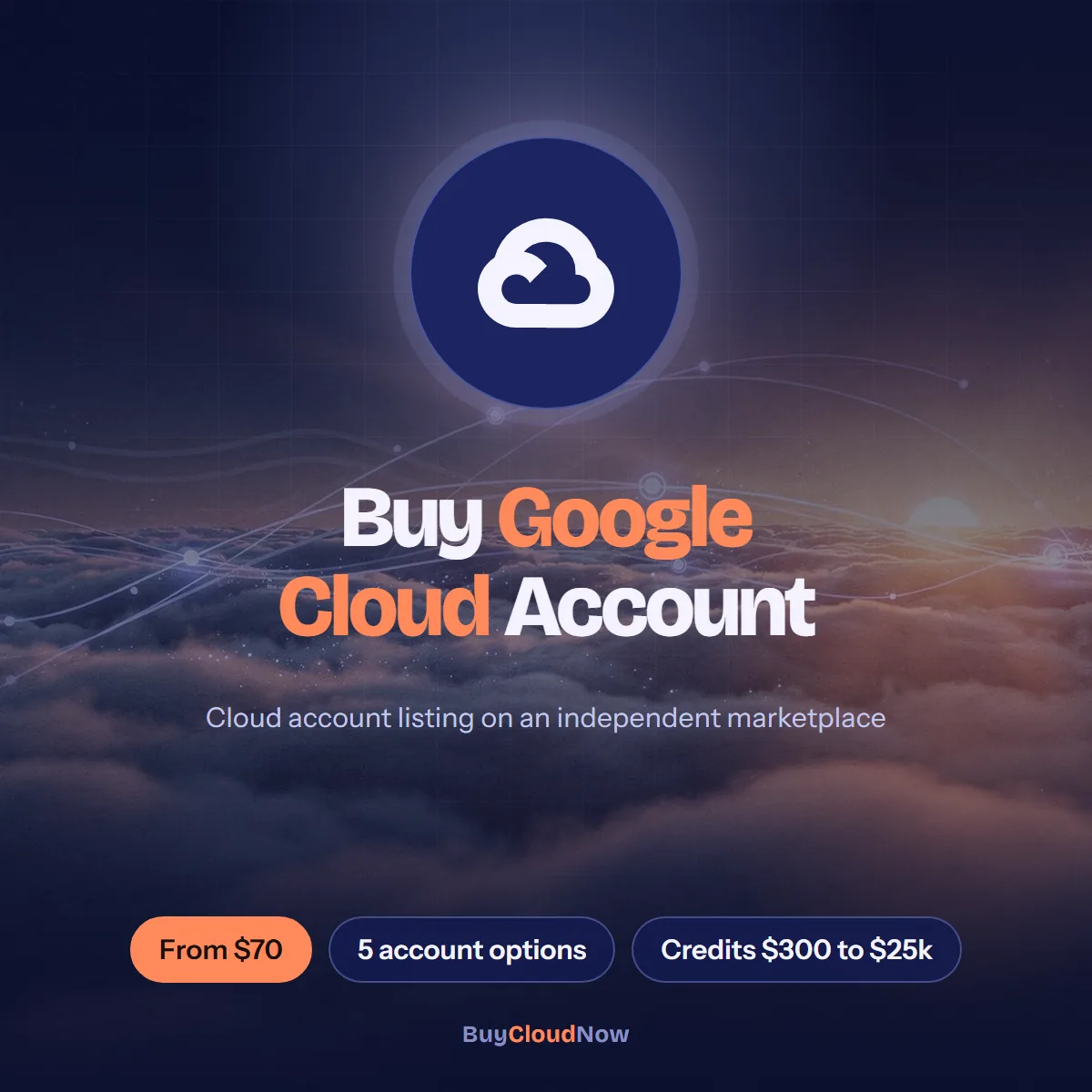
Google Cloud Platform offers a broad set of services for compute, storage, data analytics, networking, and artificial intelligence.
Independent listing. Prices shown are the marketplace prices for each option; the provider's own usage charges apply separately under its terms.
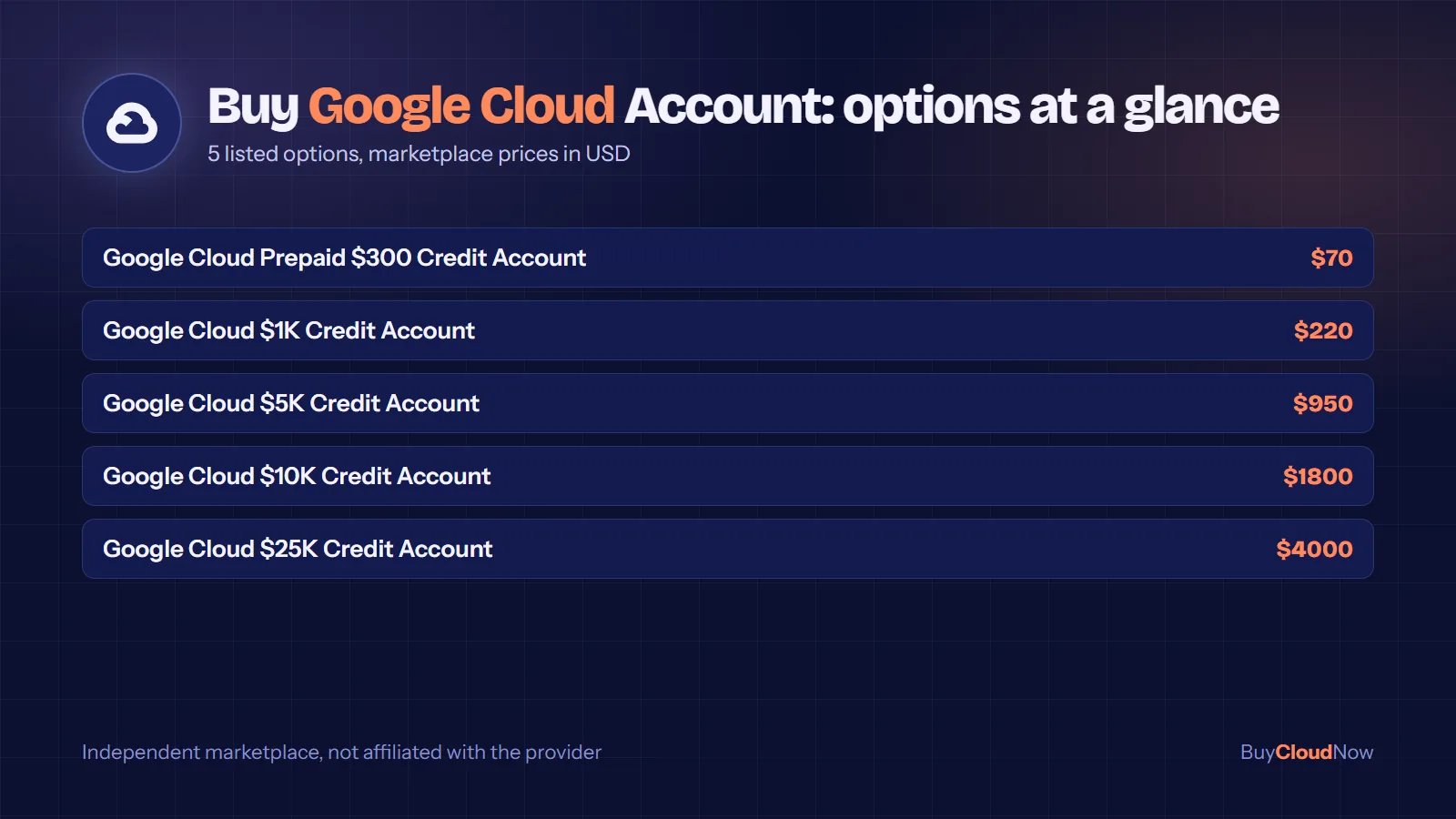
Buy Google Cloud Account options on this marketplace are all credit-backed: a $300 prepaid credit account from $70, then $1K, $5K, $10K and $25K credit accounts.
Google Cloud is often chosen for data analytics, machine learning and Kubernetes-native workflows. This page maps each listed option and explains how billing accounts, projects and credits fit together.
These are the 5 options currently listed for Buy Google Cloud Account, with the marketplace price for each. Prices are in US dollars and apply to the listing itself; the provider’s own usage charges apply separately under its terms of service.
Select an option in the purchase panel at the top of this page to see its price update, then add it to the cart. If you need a configuration that is not listed, message the team through the contact page.
Google Cloud Platform offers a broad set of services for compute, storage, data analytics, networking, and artificial intelligence. Whether you are launching virtual machines, training models on Vertex AI, running containerized applications, or building data pipelines, access begins with a Google Cloud account linked to an active Cloud Billing account. Many developers, startups, agencies, researchers, and businesses explore options to Buy Google Cloud Account access when they need remaining promotional credits, higher service quotas, or a faster path than the standard self-service sign-up.
This page provides practical information about Google Cloud accounts, the configurations people commonly seek, important evaluation factors, typical use cases, and answers to frequent questions. The goal is to help you understand the landscape so you can make an informed decision that fits your project requirements and risk tolerance.
At BuyCloudNow.com we serve as a marketplace-oriented destination where visitors can review available cloud-account options, including those related to Google Cloud. The content below focuses on genuine user needs rather than promotional claims.
A Google Cloud account is typically tied to a Google identity (personal or Cloud Identity / Workspace). To create and run billable resources you also need a Cloud Billing account. Billing accounts can be self-serve (online, card-based) or invoiced. Projects are linked to a billing account; without an active billing link, most resources cannot be provisioned or will be shut down once any trial period ends.
New users who have never been paying customers of Google Cloud, Google Maps Platform, or Firebase are often eligible for the Free Trial. The Free Trial currently provides a Welcome credit (commonly $300) that can be spent over 91 days on eligible products. During the trial, Google does not charge the linked payment method for covered usage. After the credit is exhausted or the 91-day window closes, the account must be upgraded to a paid billing account to keep resources running.
Service quotas start at conservative defaults and are applied at the project or region level. Compute Engine CPU, GPU, and certain AI-related quotas frequently require increase requests. These practical constraints explain why some teams look for a Google Cloud Account for Sale that already carries usable credits or previously approved higher limits.
Creating a Google Cloud account through the official console is straightforward for many people. Friction appears in several real-world situations:
In these cases people search for ways to Buy GCP Account options that already address one or more of those constraints. A Google Cloud Account with Credits can reduce cash outlay during prototyping. A Google Cloud Compute Account that has previously received elevated CPU or GPU quotas can shorten the path from acquisition to first deployment. A Google Cloud AI Account with relevant Vertex AI access can remove extra approval steps for generative-AI work.
Credits are promotional or prepaid balances that Google Cloud applies against eligible usage before charging a payment method. A Google Cloud Account with Credits may carry a remaining Free Trial balance, a startup program award, a partner allocation, or another legitimate source.
When evaluating such an account, buyers typically examine:
A Google Cloud Credit Account is useful for teams that want to run meaningful workloads without immediate cash cost. Buy Google Cloud Credits in the form of a pre-funded account can support proof-of-concept work, model training runs, or bridging periods while longer-term commercial arrangements are negotiated. Credits function as a draw-down pool; once the balance reaches zero the account continues under ordinary rates if a valid payment method remains attached.
It is important to verify coverage. Not every charge is eligible for every credit type. Certain Marketplace purchases, support plans, and specialized capacity products may fall outside credit scope. A GCP Account with Credits is simply another common way buyers describe the same category.
A Google Cloud Credit Account Online listing usually highlights that the balance and billing status can be inspected through the console after transfer.
Compute Engine is the core virtual-machine service. A Google Cloud Compute Account generally refers to a billing and project setup that already has meaningful CPU, memory, or instance quotas approved in one or more regions. Default new-account limits can restrict the number of concurrent VMs or the availability of larger machine types until an increase is granted.
Teams that need to launch multiple instances, custom machine types, or specialized hardware therefore look for a Google Cloud Compute Account that has already cleared those hurdles. Related search terms include Google Cloud VPS Account and Google Cloud VM Account. These phrases usually point to accounts oriented toward virtual-machine workloads rather than purely serverless or managed-platform use.
A Google Cloud Compute Engine Account emphasizes the same Compute Engine foundation and is often used interchangeably by buyers focused on VM capacity. Evaluation points typically include:
A Google Cloud Server Account and a Google Cloud Hosting Account are similar labels that buyers use when the primary goal is running application servers, web workloads, or general infrastructure.
Vertex AI provides a unified platform for training, deploying, and serving machine-learning models, including generative AI capabilities. Access to certain models, higher throughput, or accelerator-optimized machines is not automatic on every new account. Consequently, a Google Cloud AI Account that already has relevant APIs enabled and reasonable quotas can accelerate AI development.
A Google Cloud GPU Account focuses on the underlying accelerated hardware. Accelerator-optimized machine families (A-series, G-series, and others) frequently begin with limited or zero quota on brand-new accounts. Raising those quotas is a common reason teams seek a Google Cloud GPU Account that has already been approved for the relevant GPU types and regions.
When evaluating AI-oriented accounts, buyers typically confirm:
Some teams need more than compute. A Google Cloud Infrastructure Account provides readiness across networking, identity, storage, and foundational services. These accounts are often chosen by organizations that plan to build multi-project environments, shared VPCs, or complex IAM hierarchies.
A Google Cloud Account for Developers is frequently sought by individual engineers or small teams who want an isolated environment separate from employer or client billing. Features that matter in this context include clean project structure, the ability to create multiple environments, and cost-visibility tools so spending stays predictable.
Google Cloud Account Online and GCP Cloud Account Online are overlapping phrases buyers use when searching for accounts that can be accessed immediately through the console and APIs after transfer.
Startups and early-stage product teams often need to validate ideas quickly while conserving cash. A Google Cloud Account with Credits lets them provision databases, container clusters, and AI endpoints during the critical early phase. Once product-market fit is clearer they can migrate to longer-term pricing constructs such as committed-use discounts.
Agencies and consultancies manage multiple client projects that require clean billing separation. Separate Google Cloud Account Online instances help isolate cost and access. A Google Cloud Hosting Account or Google Cloud Server Account can be assigned to a specific engagement and closed or transferred when the work ends.
Researchers and academic groups frequently require burst capacity for simulations or model training. A Google Cloud GPU Account or Google Cloud AI Account with remaining credits can support a research cycle without long procurement processes.
Established businesses may need temporary additional capacity during peak periods, migrations, or disaster-recovery testing. A Google Cloud Infrastructure Account that already carries elevated quotas reduces the risk of delays caused by quota-increase tickets.
Individual developers and freelancers sometimes prefer an independent Google Cloud Account for Developers rather than relying on an employer’s organization. This keeps personal experiments portable and cleanly separated from professional resources.
Purchasing a Google Cloud account from a third party involves responsibilities that buyers must evaluate carefully.
Terms of service and transferability
Google Cloud accounts and billing accounts are generally intended for the party that created them. Buyers should review the current Google Cloud terms and understand that Google retains the ability to suspend accounts that appear to have changed ownership under suspicious circumstances.
Credit authenticity
Request clear evidence of the current credit balance, its origin, and its expiration. Credits can carry product restrictions or time limits. A Google Cloud Credit Account is only as useful as the balance that remains after any transfer.
Quota verification
Confirm the actual service quotas that matter to your workload—especially Compute Engine CPU and GPU limits, Vertex AI rate limits, and regional availability. Console exports from the Quotas page are the most reliable evidence.
Security hygiene after transfer
Immediately review and update recovery options, enable multi-factor authentication on the Google identity, audit IAM roles and service accounts, rotate any existing keys, and examine all existing projects and resources. Remove unknown applications or service-linked accounts.
Billing continuity
Ensure a payment method can be attached or updated so services continue once credits are exhausted. Understand any existing spending limits or account holds.
Support eligibility
Determine whether the account still qualifies for Google Cloud Support plans and how support cases will be handled after the change of control.
These steps help reduce operational and compliance risk.
Google Cloud pricing is predominantly consumption-based. Compute Engine VMs are billed by the second, storage by the gigabyte-month, data transfer by the gigabyte, and Vertex AI by the token, image, or training-hour. The Cloud Billing console, budgets, and cost alerts give visibility and control.
Common optimization approaches include:
An account that already carries credits provides a temporary buffer while these longer-term controls are put in place.
A structured approach reduces the chance of post-purchase surprises.
It usually refers to obtaining a Google identity and associated Cloud Billing account that is ready for project creation and resource provisioning, sometimes with remaining credits or elevated service quotas already in place.
No. Official Free Trial accounts are created directly through Google and follow the current Welcome-credit terms. Marketplace accounts vary in history, credit balance, and configuration.
Some listings are positioned as Google Cloud GPU Account offerings that have previously received increases for accelerator-optimized machine types. Always confirm current quota values in the regions you need after transfer.
Confirm the exact remaining balance, the date the credits were issued, any expiration, and which products they can be applied to. Also verify that the billing account has not already exhausted the credits.
The practical difference is usually the presence of higher approved CPU or instance quotas. Functionally it remains a normal Google Cloud setup, but the configuration favors immediate launch of larger or more numerous VMs.
Credits remain tied to the billing account. When control of the account changes, the remaining eligible credits generally stay with that billing account, subject to the original offer terms and any detection of policy violations.
These phrases are used interchangeably by buyers searching for accounts suited to virtual-machine workloads. Focus on the actual quota and regional availability rather than the marketing label.
A Google Cloud AI Account may provide access to Vertex AI training pipelines and generative-AI endpoints. Confirm the specific features and quotas that are enabled.
BuyCloudNow.com operates as an independent marketplace for cloud-related accounts and services. Buyers should perform their own due diligence on any listing.
If a valid payment method is attached, the account continues under standard pay-as-you-go pricing. Without a payment method, resources may be restricted according to Google Cloud policies.
Once credentials are transferred and you have secured the account, you can typically begin creating projects and resources immediately, subject to existing quotas and any regional restrictions.
Changing recovery options is a common post-purchase step for security. Confirm with the seller whether the current recovery methods allow a clean change of control.
Yes. Compute Engine supports a wide range of Linux distributions and Windows Server images. Managed services such as Google Kubernetes Engine and Cloud Run also support multiple runtimes.
Request console screenshots or exports showing current credit balance, Quotas page values for the machine types or services you need, and confirmation that the account was created through legitimate channels.
A Google Cloud Compute Engine Account emphasizes the VM layer. A Google Cloud Infrastructure Account places more weight on networking, identity, and foundational services. In practice the underlying platform is the same; the distinction is mainly about readiness and quota focus.
It is a search phrase buyers use when they want an account that can be accessed immediately through the Google Cloud console and APIs after the transfer is complete.
Use these pages to compare providers, read background guides, and check the questions other buyers ask before deciding to buy google cloud account.
For platform features, quotas and current provider terms, the authoritative source is the official Google Cloud documentation. Buy Cloud Now is an independent marketplace and is not affiliated with the provider.
Choosing to Buy Google Cloud Account access is a practical decision for teams facing time, quota, or credit constraints. The value lies in matching the account’s actual capabilities—credits, service quotas, regional presence, and configuration—to your specific workloads. A Google Cloud Account for Sale can accelerate projects when the transfer is transparent and the remaining resources are clearly documented.
At the same time, responsible buyers treat every transaction with the same care they would apply to any significant infrastructure decision. Verify ownership, secure the account immediately, attach your own billing controls, and operate within Google Cloud’s terms of service.
Whether you need a Google Cloud Compute Account for general virtual machines, a Google Cloud GPU Account for accelerated training, a Google Cloud AI Account for Vertex AI workloads, a Google Cloud Hosting Account for applications, or a general-purpose Google Cloud Account Online, the key is clarity about what you are acquiring and how you will manage it going forward.
If you are ready to explore current options that align with your requirements, review the listings available through BuyCloudNow.com and examine the details of each account carefully. Clear communication with the seller and thorough post-purchase security steps will help you move from acquisition to productive use with confidence.
Google Cloud continues to evolve its Free Trial, credit programs, service quotas, committed-use discounts, and AI offerings. Staying informed through official Google Cloud documentation, Cloud Billing best practices, and security recommendations remains the most reliable way to extract long-term value from any account you operate.
Breadth of services, global reach, and mature tooling around compute, storage, databases, and serverless options.
Deep integration with Microsoft ecosystems, hybrid connectivity options, and enterprise identity features.
Database strengths, competitive pricing on certain workloads, and integration with existing Oracle environments.
Short answers from the Cloud FAQ hub for this provider, with links to the full set.
All Google Cloud questionsGoogle Cloud Platform (GCP) is Google’s public cloud, covering Compute Engine virtual machines, Google Kubernetes Engine, Cloud Run, data analytics services, object storage and Vertex AI for training and serving models. Teams tend to pick it for data analytics, machine-learning tooling and a Kubernetes-native experience, since Kubernetes originated at Google.
The Buy Google Cloud Account listings attract startups validating data-heavy products, researchers who need GPU capacity offset by credits, agencies wanting a separate billing account per client, and developers who want a sandbox apart from an employer’s organization. Access always requires a Google identity plus an active Cloud Billing account. See the Buy Google Cloud Account page and AWS vs Google Cloud accounts.
The Buy Google Cloud Account page lists five credit-based options, each defined by its balance. The Google Cloud Prepaid $300 Credit Account is listed at $70 and is the entry point for small experiments. Above it sit four larger tiers: Google Cloud $1K Credit Account at $220, Google Cloud $5K Credit Account at $950, Google Cloud $10K Credit Account at $1800 and Google Cloud $25K Credit Account at $4000.
There is no pay-as-you-go-only option here; every option is a billing account with a balance that is drawn down before your own payment method is charged. Coverage and expiry follow Google’s own terms, so verify both in the Cloud Billing console. Details are on the Buy Google Cloud Account page, with planning guidance in Google Cloud prepaid and credit accounts.
Begin in the Cloud Billing console: confirm the billing account is active, note the remaining credit and its expiry, check which SKUs it covers, and see whether the account has been upgraded to paid status. Attach or update a payment method so resources keep running after the balance is used.
Then open the Quotas page: Compute Engine CPU and GPU quotas are set per project and region, and accelerator-optimized machine families often begin at zero. Check that your regions offer the services you plan to use, including Vertex AI. Review recovery options and MFA on the Google identity, and read the current Google Cloud terms so your use stays within them. Start from the Buy Google Cloud Account page, and see common cloud account issues if quota errors appear.
Google Cloud separates identity, billing and resources more explicitly than most providers. A Google identity (personal, Cloud Identity or Workspace) signs in. A Cloud Billing account holds the payment method and any credits, and can be self-serve or invoiced. Projects are where resources actually live, and each project must be linked to an active billing account or most services cannot be provisioned. An organization node sits above projects when a company manages them centrally.
Quotas apply per project and region, and credits are tracked on the billing account, so a listed option such as the Google Cloud $1K Credit Account is a billing account with a balance to which you link your projects. Read Google Cloud billing accounts and projects explained and view the Buy Google Cloud Account page.
It is a strong fit for teams whose work centers on data and models. Data and analytics teams choose it for managed analytics and pipeline services. Machine-learning groups use Vertex AI for training, deployment and generative AI, with GPU machine families for heavy jobs; that is where the larger credit tiers on the listing come into play. Startups building on containers benefit from Google Kubernetes Engine and Cloud Run.
It is less compelling for a solo developer who wants a couple of predictable virtual machines, where a developer-focused provider is simpler. Agencies can still use separate billing accounts per client. Weigh it against the database-centered alternative in Google Cloud vs Oracle Cloud accounts, or view the Buy Google Cloud Account page.
Select an option above to add it to your cart, or message the team for a custom configuration.